The most important thing in brief:
1. Development of the OpenSprinkler firmware (OpenSprinkler 3.x ESP8266 or OSPi)
Install the free version of “Microsoft Code” and the plugin “platform.io” (for OpenSprinkler 3.x) or “Remote SSH” (for OSPi).
Check out the software, either locally (for OpenSprinker 3.x) or connect to the OSPi via a remote plugin and check out the software there. There are two options: a) the original software from https://github.com/OpenSprinkler/OpenSprinkler-Firmware or b) the extended software of https://github.com/opensprinklershop/OpenSprinkler-Firmware
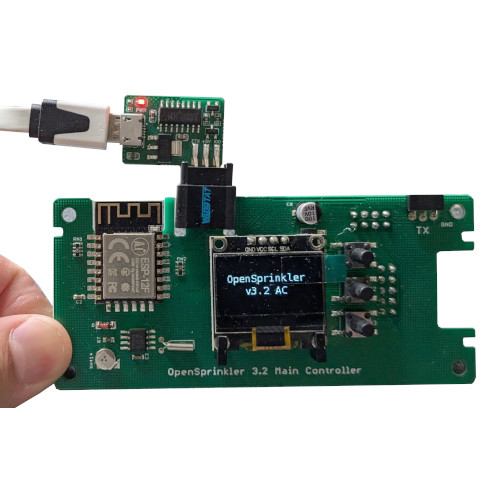
To upload to OpenSprinkler 3.x, use the USB programming adapter. You can plug this directly into the CPU board of the OpenSprinkler 3.x and send it via
2. Development of the APP or the web UI:
Install the free version of “Microsoft Code” and check out the software. There are two options: a) the original software from https://github.com/OpenSprinkler/OpenSprinkler-App or b) the extended software of https://github.com/OpenSprinklerShop/OpenSprinkler-App
To start the UI it is enough to open the index.html in the browser.
3. Development at the weather service
A web server is required for this. Here too you can choose between two versions:
a) The original software from https://github.com/OpenSprinkler/OpenSprinkler-Weather or b) https://github.com/OpenSprinklerShop/OpenSprinkler-Weather
Here it is better to follow the instructions in README.md or the documentation in the Docs directory
-
This topic was modified 1 year, 4 months ago by
 Admin.

 Shop
Shop Configurator