
 Shop
Shop Configurator
Generally
New Features: OTC Germany and Comprehensive Cloud Features
New Features: OTC Germany and Advanced Cloud Features
The wait was worth it! With the release of version 2.4.228 (Android Build 228 / iOS 2.4.228) of the OpenSprinkler UI, we are taking the cloud experience to a whole new level. The focus of the update is our brand-new cloud service location: OTC Germany.
Exclusively in the OpenSprinklerASB App:
Please note that the new OTC Germany server and the advanced cloud features are exclusively available in our OpenSprinklerASB App . These features are not included in the standard OpenSprinkler app.
Why OTC Germany? Your Cloud Server in Germany
Starting now, you have the option to select dedicated server presets in our app's settings. Our new server OTC Germany (io.opensprinklershop.de) is physically located in Germany and offers you, as a European user, decisive advantages:
- Highest Data Protection & GDPR Compliance: Your data is processed locally on servers in Germany and does not leave the European area. This is a crucial element for compliance with the strict requirements of the General Data Protection Regulation (GDPR).
- ⚡ Minimal Latency: Look forward to lightning-fast response times for app control and push notifications arriving in real time.
- ️ Custom Servers: In addition to the practical presets, it is now also possible to configure completely custom OTC and Cloud Sync servers.
All OTC Features at a Glance
The current update not only brings new servers, but massively expands the capabilities of the OpenThings Cloud (OTC):
- Remote Access: Control your OpenSprinkler securely worldwide via your personal OTC token. Complicated setup of port forwarding on your router is now a thing of the past!
- Cloud Sync: Save and synchronize your configurations securely and automatically in the cloud.
- OTA Updates via OTC: Firmware updates for ESP32 controllers can now be performed directly and wirelessly via the cloud connection (OpenThings Cloud). An automatic fallback to port 8080 ensures maximum reliability. (Note: For ESP8266 controllers, online updates via remote connections are disabled to prevent interruptions.)
- Integrated Push Notifications: The server in Germany also functions as a central and absolutely reliable push infrastructure for the entire OpenSprinkler ecosystem.
⚙️ Setup Is That Easy
Configuration in the app is completed in just a few moments:
- Retrieve Token: Log in to your customer account here in the shop to generate and copy your personal OTC token for the German server.
- Open App: Open the OpenSprinkler UI and navigate in the side menu to Manage Sites.
- Add Connection: Tap on Add OTC Connection.
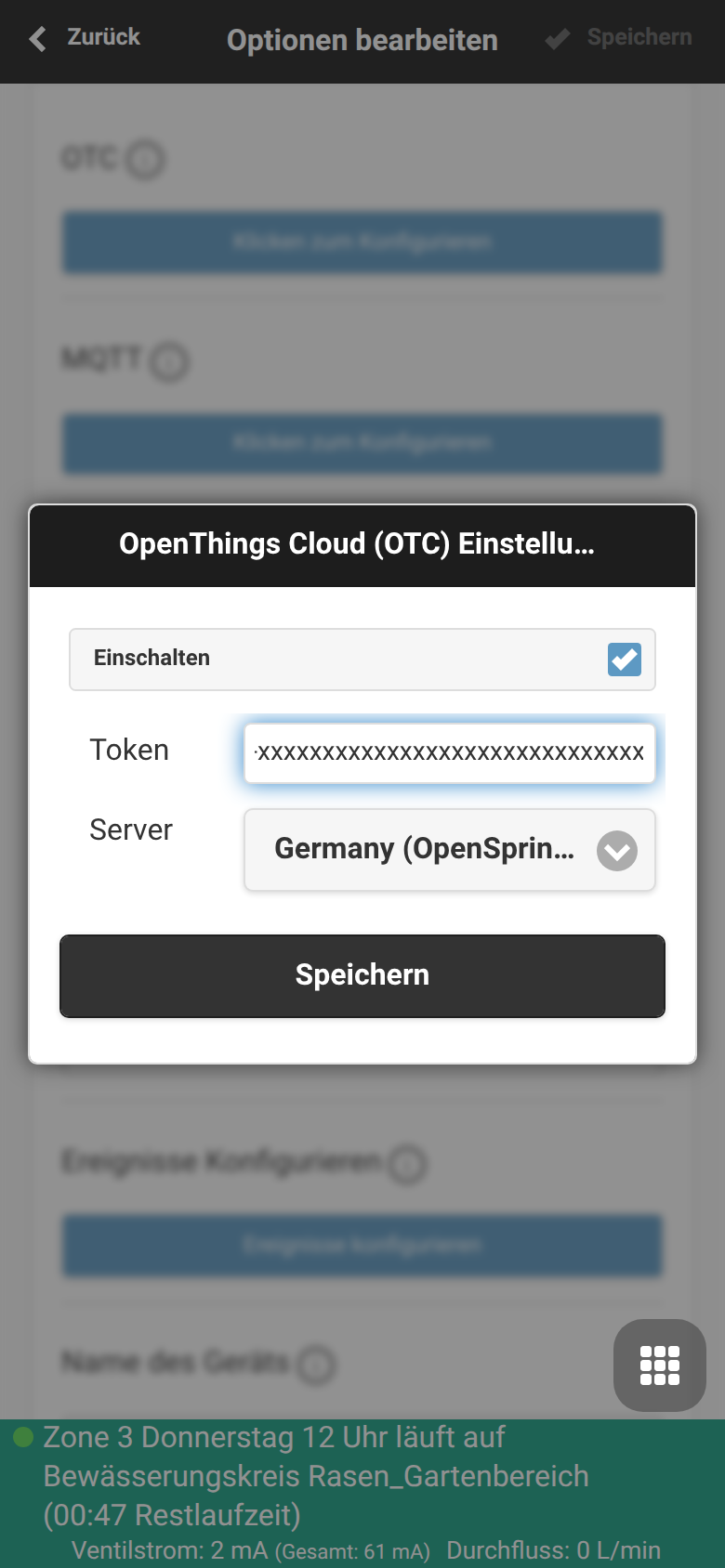
- Select Server: Select OTC Germany from the server preset dropdown menu and paste your newly retrieved OTC token.
⚠️ Important Note on Token Compatibility:
OTC tokens from the regular US servers (e.g., openthings.io) are not compatible with the OTC Germany server! To use the German server, you strictly need the token that you receive exclusively via your shop customer account.
Settings Preview
A quick look at the app shows how clearly arranged the new server settings are:
Custom OTC Server Thanks to Open Source
Another major advantage of our ecosystem: The software for the OTC server is completely Open Source! This means that anyone with the right infrastructure can easily run their own OTC server. This gives you 100% control over your data and connections.
You can find the complete source code for the server on GitHub at: github.com/openthingsio
Update your app to version 2.4.228 today and benefit from the fast, secure, and local cloud connection!
Tip: Just like with the US OTC server, the device can be reached via
https://io.opensprinklershop.de/forward/v1/<token>
in the exact same way


Can I connect directly from a browser without using the app?
Yes, use
https://io.opensprinklershop.de/forward/v1/