Shop
 Configurator
Generally
OpenSprinkler Pro in Zigbee Gateway Mode: Functions and Possibilities
OpenSprinkler Pro in Zigbee Gateway Mode
Function, possibilities, and compatible devices
The Zigbee gateway mode turns the OpenSprinkler Pro into a control center for sensors and valves. In this article, we show you how the mode works, what possibilities it offers, and which devices can be effectively used with it.
⚡ What Zigbee gateway mode can do
The OpenSprinkler Pro becomes the control center for Zigbee devices in gateway mode:
- Network connectivity: Ethernet with W5500 (required for Zigbee gateway mode)
- Automation: Flexible rules, schedules, and sensor logic
- Zigbee integration: Connection of compatible sensors, valves, and devices
- Mobile app: Statuses, batteries, and switching processes at a glance
- Open source: Transparency and community support
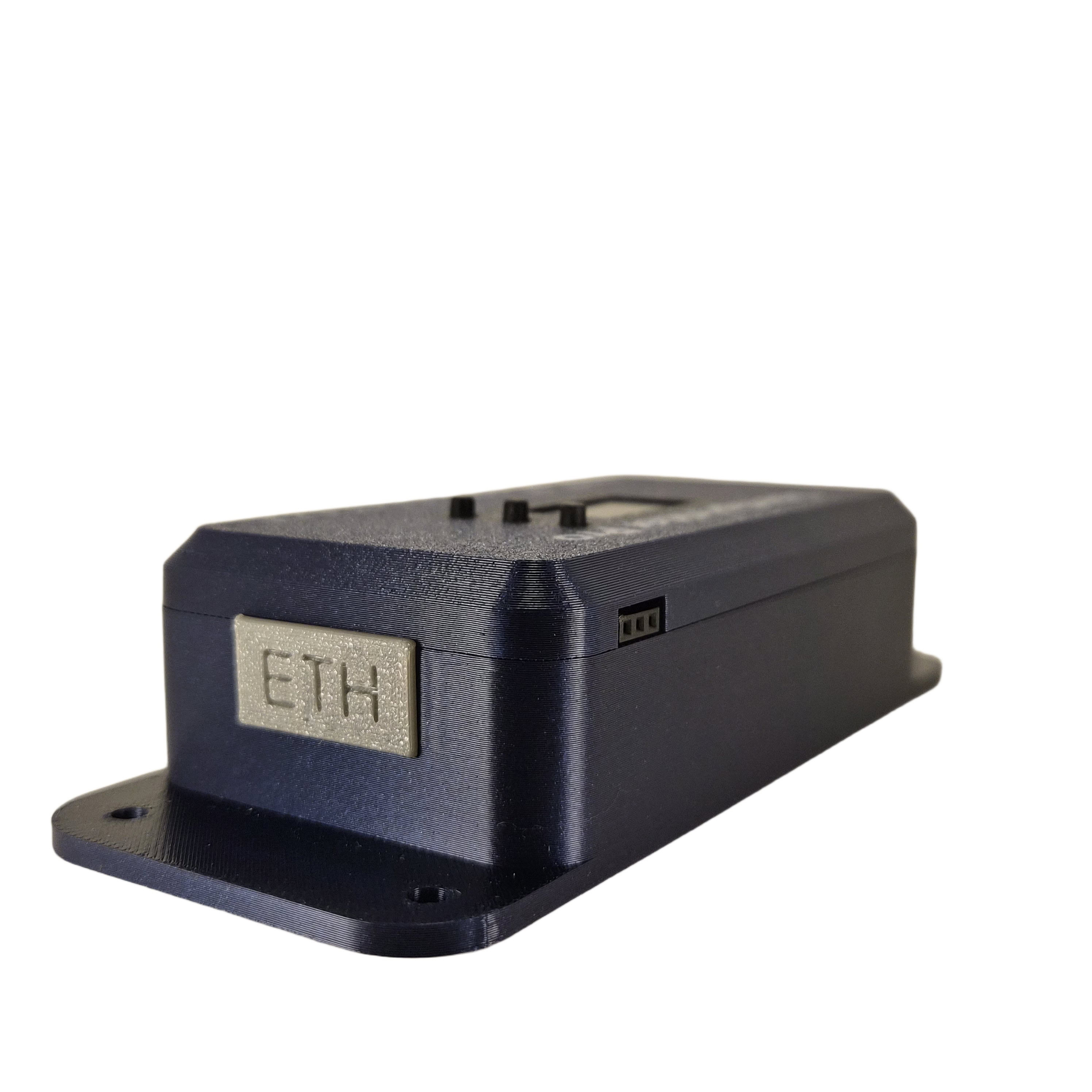
OpenSprinkler Pro with Ethernet
Which Zigbee devices and features are possible
Zigbee is a wireless communication protocol that allows sensors, valves, and other devices to be networked energy-efficiently:
✅ Soil moisture sensors measure in real time
✅ Temperature & humidity record
✅ Rain sensors avoid surplus
✅ Water meters track consumption
✅ 100m range with mesh network
Energy-efficient: Battery-operated with battery level indicator in the app
ℹ️ Practical notes
- The system also works with other Zigbee and Tuya valves or sensors.
- Zigbee rain sensors and Zigbee water meters can also be integrated.
- A greater Zigbee range is possible with an external antenna.
- Zigbee sensors/devices are battery-operated; the battery level is displayed in the app.
Example devices and extensions
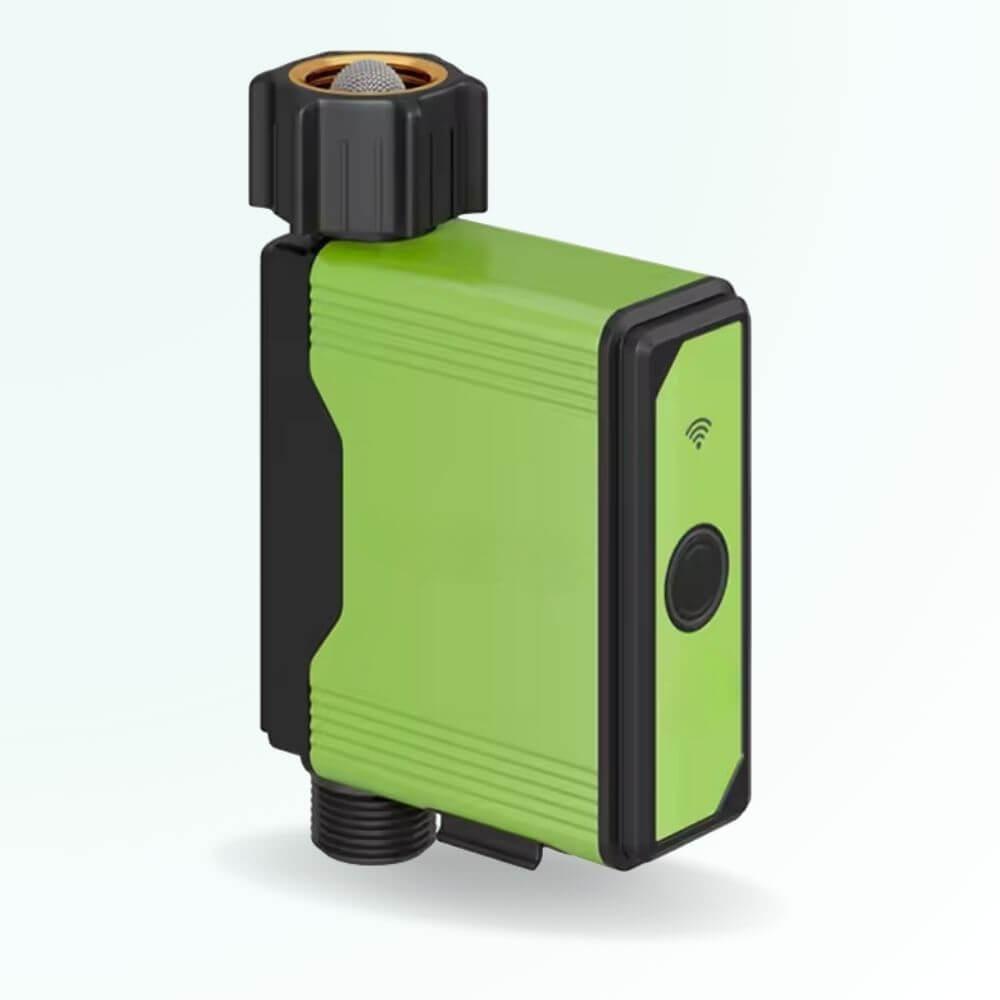
GX02
GX02 – Solenoid valve
Single valve for precise zone control
- ✓ Single valve
- ✓ OpenSprinkler compatible
- ✓ Low pressure loss
- ✓ Durable materials
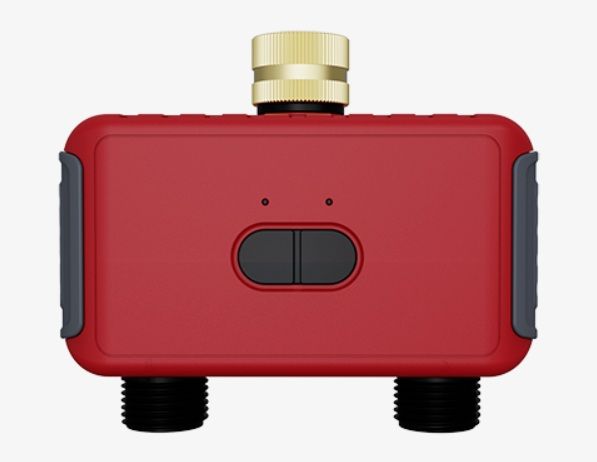
GX03
GX03 – Dual solenoid valve
Two valves in one device
- ✓ Two valves integrated
- ✓ Control two zones with one device
- ✓ Space-saving and efficient
- ✓ Full OpenSprinkler compatibility
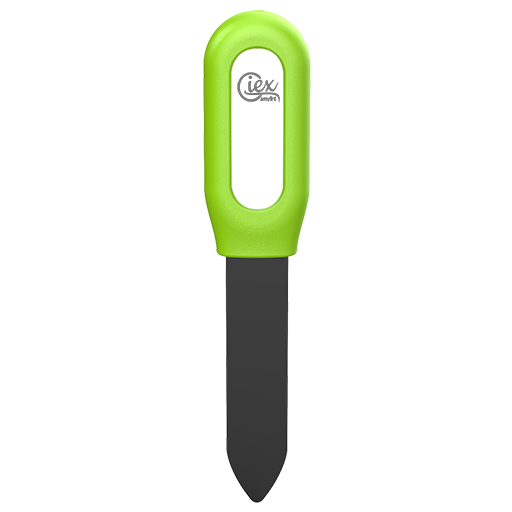
GX04
GX04 – Soil Moisture Sensor (Zigbee)
Intelligent real-time measurement with Zigbee
- ✓ Zigbee integration for wireless communication
- ✓ Capacitive sensor for accurate measurements
- ✓ IP67 weather resistant for long service life
- ✓ Enables automatic watering based on needs
⚠️ Important: W5500 Ethernet adapter
An Ethernet connection is required for Zigbee gateway mode - for this you need the W5500 Ethernet adapter.
The OpenSprinkler Pro has no integrated Ethernet port. Ethernet works only with the separate W5500 adapter. WiFi cannot be used in Zigbee gateway mode, since Zigbee and WiFi use the same antenna hardware.
- W5500 Ethernet Adapter: Separate component, required for Zigbee Gateway Mode
- Ethernet cable: From the router to the W5500 adapter
- ✅ Stable connection: Much more reliable than Wi-Fi
- Required in Zigbee Gateway Mode: W5500 adapter + Ethernet
- Wi-Fi note: Not available in Zigbee Gateway Mode (shared antenna hardware with Zigbee)
The W5500 adapter is available in the shop and simply plugs in!
How Zigbee Gateway Mode works
1️⃣ Connect hardware
- Connect OpenSprinkler Pro
- Plug in W5500 adapter
- Pair suitable Zigbee devices
2️⃣ Integrate sensors and valves
- Integrate GX04 or other compatible sensors
- Pair rain sensors and water meters
- Pair to the Zigbee network
- Check devices in the app
3️⃣ Assign functions
- Assign valves and sensors to appropriate zones
- Define switching logic per device
- Configure automations
4️⃣ Set up automation
- OpenSprinkler web interface
- Create rules and scenes
- Use sensors as triggers
Everyday possibilities
Soil moisture automation
Automate with GX04 or compatible sensor:
Bodenfeuchte < 40%

→ GX02/GX03 Ventil öffnen

→ 15 Min bewässern

→ Max 1x pro Tag
️ Timer + rain sensor
Combine with Zigbee rain sensor:
Täglich 06:00 Uhr

GX04 Sensor = trocken?

→ JA: 10 Min bewässern

→ NEIN: Überspringen
️ Temperature-dependent rules
Sensor values can trigger actions based on temperature:
Normal
< 28°C
10 min
Warm
28-32°C
15 min
Hot
> 32°C
20 min
The Advantages of Gateway Mode
-50% water
Sensor- and valve-based automation
⚙️
100% Autonomous
Many devices, many rules, little manual work
Control at all times
Remote control via OpenSprinkler App
✅
Reliable
Compatible devices and clear feedback in the app
⚠️ Notes and Troubleshooting
❌ Zigbee devices do not connect
- Zigbee 2.4 GHz active?
- Device within range?
- Perform reset
❌ Valve does not switch
- 24V power supply?
- Wiring OK?
- Test manually
Tips for Gateway Mode
- ✓ Place sensors sensibly
- ✓ Improve range with external antenna
- ✓ Check battery levels in the app
- ✓ Document compatible devices
Hardware and Compatible Devices
OpenSprinkler Pro • W5500 Ethernet Adapter • GX02 Valve with Water Meter • GX03 Dual Valve • GX04 Soil Moisture Sensor • Zigbee Rain Sensor • Zigbee Water Meter
Gateway mode shows how devices and functions can be sensibly combined.
Conclusion
The Zigbee Gateway Mode turns the OpenSprinkler Pro into the control center for compatible sensors and valves. The W5500 Ethernet Adapter is the necessary hardware for this; it allows states to be read, devices to be switched, and automations to be cleanly mapped.
✓ Up to 50% water savings
✓ 100% Automated
✓ Full control
✓ Durable & reliable
Start today – and enjoy a green garden without stress!
Questions about OpenSprinkler Pro or GIEX products?
Contact our support!
Keywords: OpenSprinkler Pro, Zigbee irrigation, smart irrigation, automatic garden irrigation, GIEX GX02, GIEX GX03, GIEX GX04, soil moisture sensor Zigbee, W5500 Ethernet Adapter, Zigbee rain sensor, Zigbee water meter, Tuya valves, Tuya sensors
Smart Irrigation: OpenSprinkler Pro with Zigbee and GIEX Products